First introduction to database
What is a database
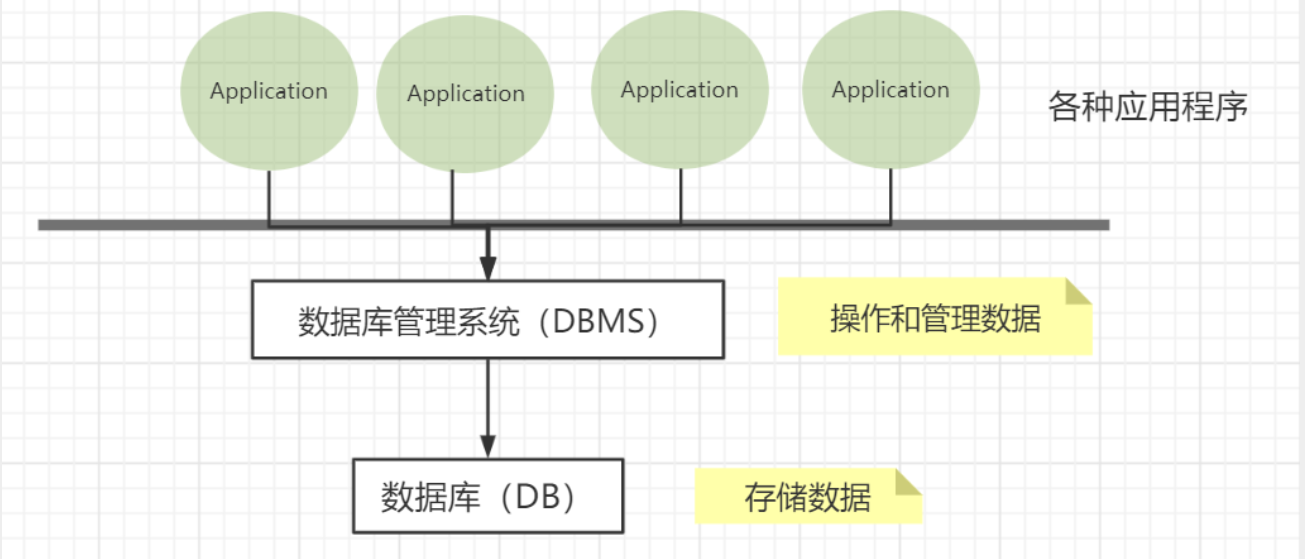
Database: DB (DataBase)Concept: Data warehouse,
软件, installed on the operating system
Function: Store data, manage data
Database classification
Relational database: SQL (Structured Query Language)- MySQL, Oracle, Sql Server, DB2, SQLlite
- Store data through relationships between tables and between rows and columns
- Establish relationships between tables through foreign key associations
- Redis, MongoDB
- Refers to data stored in the database in the form of objects, and the relationship between objects is determined by the properties of each object itself
Related concepts
DBMS (Database Management System)
- Database management software**, scientific and effective management, maintenance and acquisition of our data
- MySQL is a database management system
MySQL and its installation
Basic commands
All statements must end with a semicolon;
Database column type
Value
string
Time and date
null
- no value, unknown
- Do not use NULL values for calculations
Database field attributes
UnSigned
- unsigned
- Declared that the column cannot be negative
ZEROFILL
- 0 padded
- Fill the missing digits with 0, such as int(3), 5 is 005
Auto_InCrement
- Usually understood as auto-increment, it automatically defaults to +1 based on the previous record.
- Usually used to design a unique primary key, which must be an integer type
- Definable starting value and step size
- Current table setting step size (AUTO_INCREMENT=100): only affects the current table
- SET @@auto_increment_increment=5 ; affects all tables using auto-increment (global)
NULL and NOT NULL
- The default is NULL, that is, no value is inserted into the column
- If set to NOT NULL, the column must have a value
DEFAULT
- default
- used to set default values
- For example, the gender field defaults to “male”, otherwise it is “female”; if the value of this column is not specified, the default value is the value of “male”
Create database table
注意点:
- Try to use “ brackets in table names and fields.
- AUTO_INCREMENT represents automatic increment
- Add commas after all statements, except the last one.
- Strings are enclosed in single quotes
- The declaration of the primary key is generally placed at the end for easy viewing.
- If the character set encoding is not set, MySQL’s default character set encoding Latin1 will be used. Chinese is not supported and can be modified in my.ini.
Format:
常用命令
Database storage engine
INNODB- Used by default, has high security, supports transaction processing, and multi-table and multi-user operations
- Used in earlier years, saving space and faster
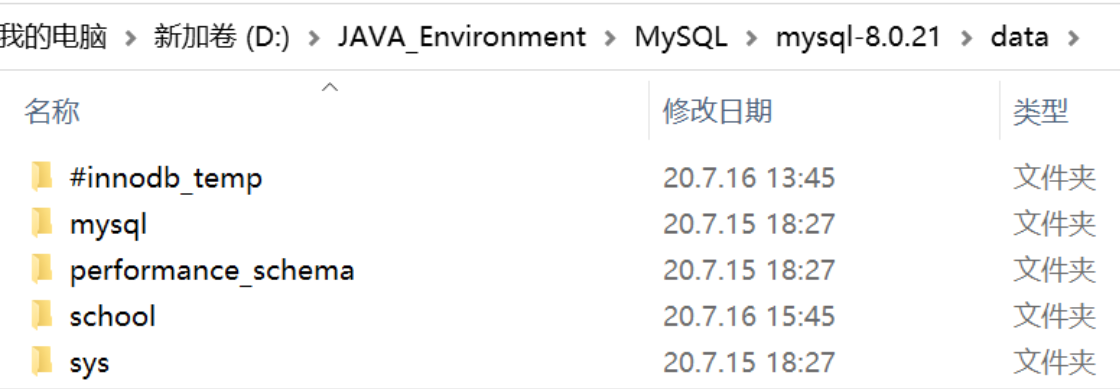
Physical space location where the database file exists:
- MySQL data tables are stored on disk as files
-Including table files, data files, and database option files
- Location:
Mysql安装目录\data\(the directory name corresponds to the database name, and the file name in this directory corresponds to the data table)
- Location:
 MySQL differs in file engine:
INNODBDatabase file types include .frm, .ibd and ibdata1 files in the upper-level directory- MYISAM storage engine, database file types include
- .frm: table structure definition file
- .MYD: data file
- .MYI: index file
Modify database
Modify
DELETESyntax: DROP TABLE [IF EXISTS] table name
- IF EXISTS is optional to determine whether the data table exists
- If you delete a non-existent data table, an error will be thrown.
Foreign keys
Foreign Key ConceptIf a common key is the primary key in one relationship, then the common key is called a foreign key in another relationship. It can be seen that the foreign key represents the interconnection between the relationships between two people. The table with the foreign key of another relationship as the primary key is called
主表,具有此外键的表被称为主表的从表.
In actual operation, the value of one table is put into the second table to represent the association, and the value used is the primary key value of the first table (including the composite primary key value if necessary). At this point, the attribute in the second table that holds these values is called the foreign key (foreign key).
Foreign key function:
Maintain data 一致性,integrity,主要目的是控制存储在外键表中的数据,constraint. To associate two tables, the foreign key can only refer to the values of columns in the table or use null values.
Target: The gradeid field of the student table (student) is to reference the gradeid field of the grade table (grade).
Create foreign keyMethod 1: Add constraints when creating the table
Method 2: After successfully creating the table, add foreign key constraints
最佳实践
- The database is a simple table, only used to store data, only rows (data) and columns (attributes)
- We want to use data from multiple tables, use foreign keys, and implement it with programs
DML language
数据库的意义:Data storage, data management
Data Manipulation Luaguge: Database operation language
1. Add insert
- Use commas to separate fields.
- Fields can be omitted, but the values must be complete and one-to-one correspondence
- Multiple pieces of data can be inserted at the same time. The values after VALUES need to be separated by commas.
2. Modify update
3. Delete delete
DELETE and restarting the database:
- INNODB auto-increment columns will start from 1 (stored in memory and lost when power is turned off)
- MYISAM continues from the previous sub-increment (stored in memory and will not be lost)
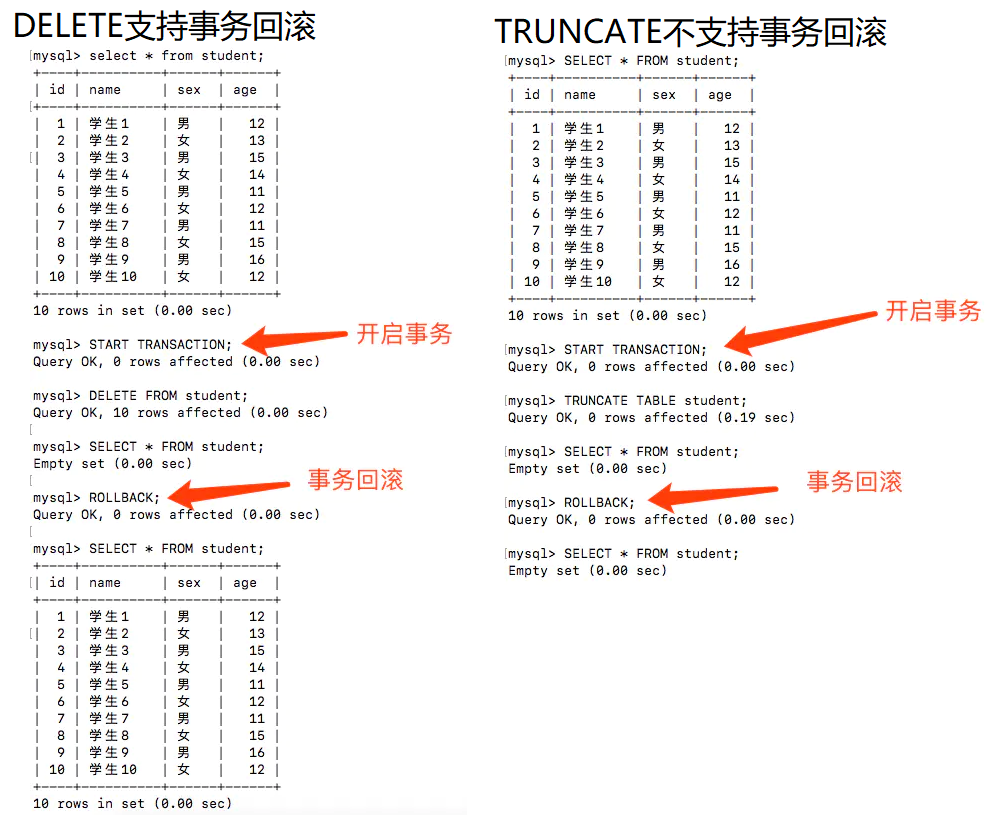
TRUNCATEFunction: Completely clear a database table, the structure and index constraints of the table will not change! The difference between DELETE and TRUNCATE:
- DELETE can delete conditionally (where clause), while TRUNCATE can only delete the entire table
- TRUNCATE resets the auto-increment column and the counter will return to zero, while DELETE will not affect the auto-increment
- DELETE is a data manipulation language (DML - Data Manipulation Language). During the operation, the original data will be placed in the rollback segment and can be rolled back; while TRUNCATE is a data definition language (DDL - Data Definition Language). It will not be stored during the operation and cannot be rolled back.
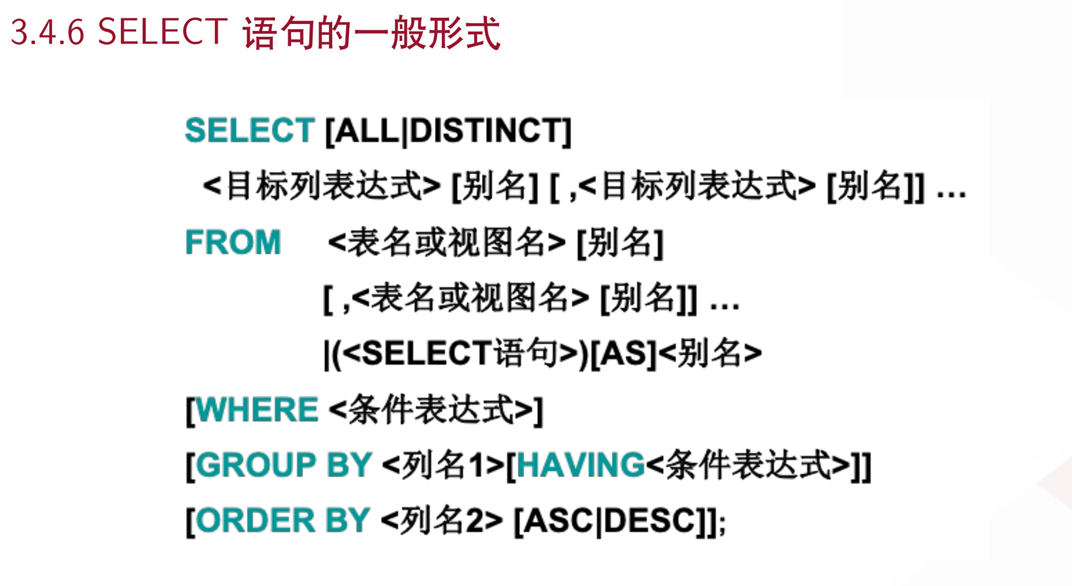
DQL query data
Data QueryLanguage: Data query language
- Query database data, such as SELECT statements
- Simple single table query or complex query and nested query of multiple tables
- It is the core and most important statement in the database language
- Most frequently used statements
前提配置:
Basic Query
语法:
- The query list can be: (one or more) fields in the table, constants, variables, expressions, functions
- The query result is a virtual table
Query conditions
where conditional statement: retrieve the value of 符合条件 in the data
grammar:
Group query
语法:
区别:
| | table filtered using keywords | location |
| ---------- | ---------- | ---------- | --------------- |
| Filter before grouping | where | original table | before group by |
| Filtering after grouping | having | results after grouping | behind group by |
Connection query

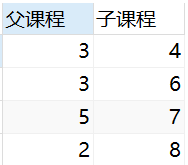
Self linkYour own table and your own table link, core: One table can be split into two identical tables
Operation: Query the subclass relationship corresponding to the parent class
Sorting and paging
Sort
语法:
- The position of order by is generally placed at the end of the query statement (except for the limit statement)
Page
语法:
- offset represents the starting entry index, starting from 0 by default
- size represents the number of items displayed
- offset=(n-1)*pagesize
Subquery
A subquery statement is nested in the本质在where clause
MySQL function
Commonly used functions
Aggregation function
Database level MD5 encryption
MD5 Message-Digest Algorithm (MD5 Message-Digest Algorithm)
- MD5 is improved from MD4, MD3, and MD2, mainly to enhance algorithm complexity and irreversibility
- The principle of MD5 cracking website, there is a dictionary behind it, the value after MD5 encryption, the value before encryption
Transaction
Either both succeed or both fail
- For example, bank transfer: the event will only end if A transfer is successful and B is successfully received. If one party is unsuccessful, the transaction is unsuccessful.
Transaction Principle: ACID
Reference link: https://blog.csdn.net/dengjili/article/details/82468576Problems caused by transaction concurrency
Some problems caused by isolation:
Isolation level
In database operations, in order to effectively ensure the correctness of concurrently read data, the proposed Transaction Isolation Level
-
Read Uncommitted: One transaction reads uncommitted data from other transactions; under this isolation level, the query will not be locked, and the consistency is the worst, causing
脏读,不可重复读, and幻读problems. -
Read Committed: A transaction can only read data that has been submitted by other transactions; this isolation level avoids the
脏读problem, but the不可重复读and幻读problems still exist;
- Repeatable Read: During the execution process, a transaction can read newly inserted data that has been submitted by other transactions, but it cannot read the modifications to the data by other transactions, which means that the results of reading the same record multiple times are the same; this level avoids the problems of
脏读and不可重复度, but it still cannot avoid the problem of幻读
- Serialization: Transactions are executed serially. Transactions can only be executed one after another, and updates made to data by other transactions cannot be seen at all during the execution process. The disadvantage is poor concurrency and the strictest transaction isolation, which is fully in line with ACID principles, but has a greater impact on performance.
The process of executing transactions
1️⃣ Turn off automatic submissionindex
Recommended reading: Data structure and algorithm principles behind MySQL index
Index (Index) is a data structure that helps MySQL obtain data efficiently.
- Improve query speed
- Ensure data uniqueness
- Can speed up the connection between tables and achieve referential integrity between tables
- When using grouping and sorting clauses for data retrieval, the time of grouping and sorting can be significantly reduced
- Full text search fields for search optimization
Index classification
Primary key index (PRIMARY KEY)
Unique identification, primary key cannot be repeated, only one column is used as the primary key- The most common index type, null values are not allowed
- Ensure the uniqueness of data records
- Determine where specific data records are located in the database
Ordinary index (KEY / INDEX)
Default, quickly locate specific data- Both index and key keywords can set regular indexes
- Fields that should be added to the search criteria
- It is not advisable to add too many regular indexes, which will affect the insertion, deletion and modification operations of data.
###Unique index (UNIQUE KEY) It is similar to the previous ordinary index, except that the value of the index column must be unique, but null values are allowed. The difference from primary key index: there can only be one primary key index, and there can be multiple unique indexes.
Full text index (FULLText)
Quickly locate specific data (Baidu search is full-text index)- Available under specific database engines: MyISAM
- Can only be used for CHAR, VARCHAR, and TEXT data column types
- Suitable for large data sets
Usage of index
Index creation
- Add indexes to fields when creating tables
- After creation, add index
Index deletion
Display index information
explain analysis of sql execution
Test index
Create table app_user: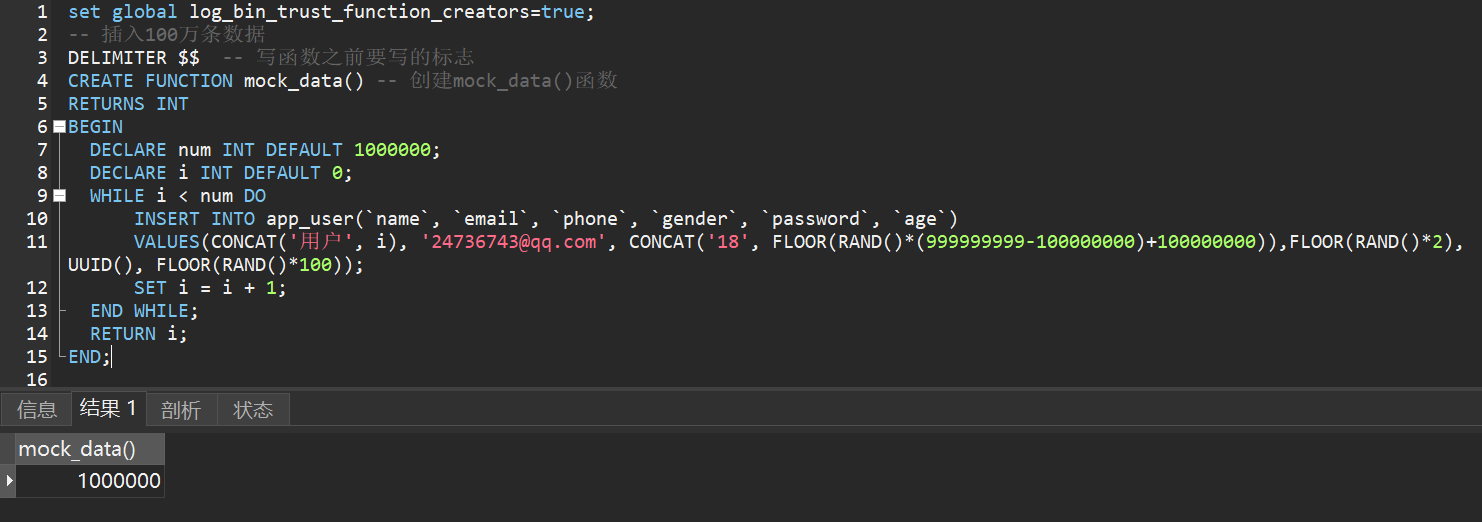
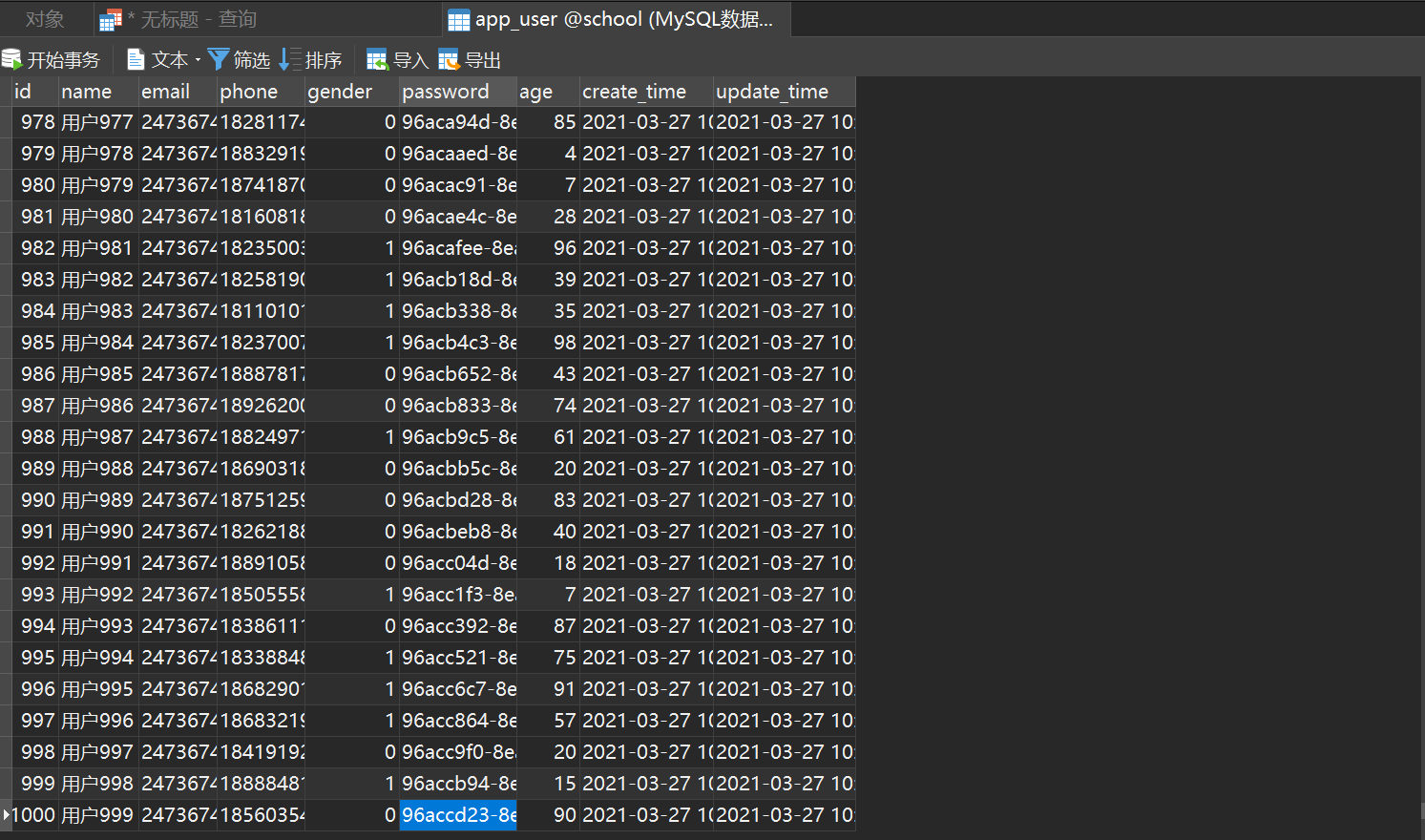 Test query speed
 Test after adding index
 Comparing the two results, the speed has been greatly improved.
Indexing principles
- The more indexes, the better. Tables with small data volumes do not need to be indexed.
- Do not add indexes to frequently changing data
- Indexes are generally added to columns that are frequently queried
explain keyword
Suggested Reading:- MySQL optimization - understand the explain
- MySQL Advanced Explain Execution Plan Detailed Explanation
Permission management and backup
User management
Method 1: Visual management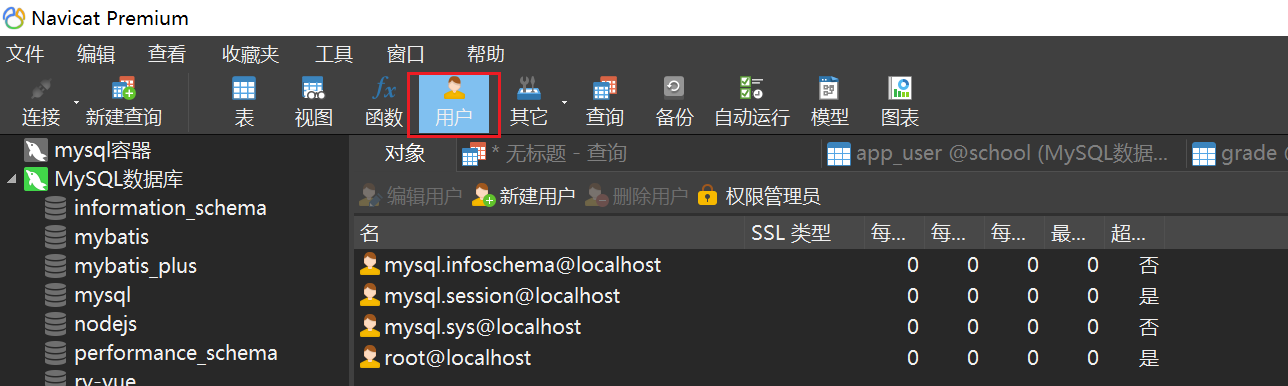
Method 2: SQL command operation
User information is stored in theusertable in themysqldatabase. The essence of user management is to add, delete, modify and check this table.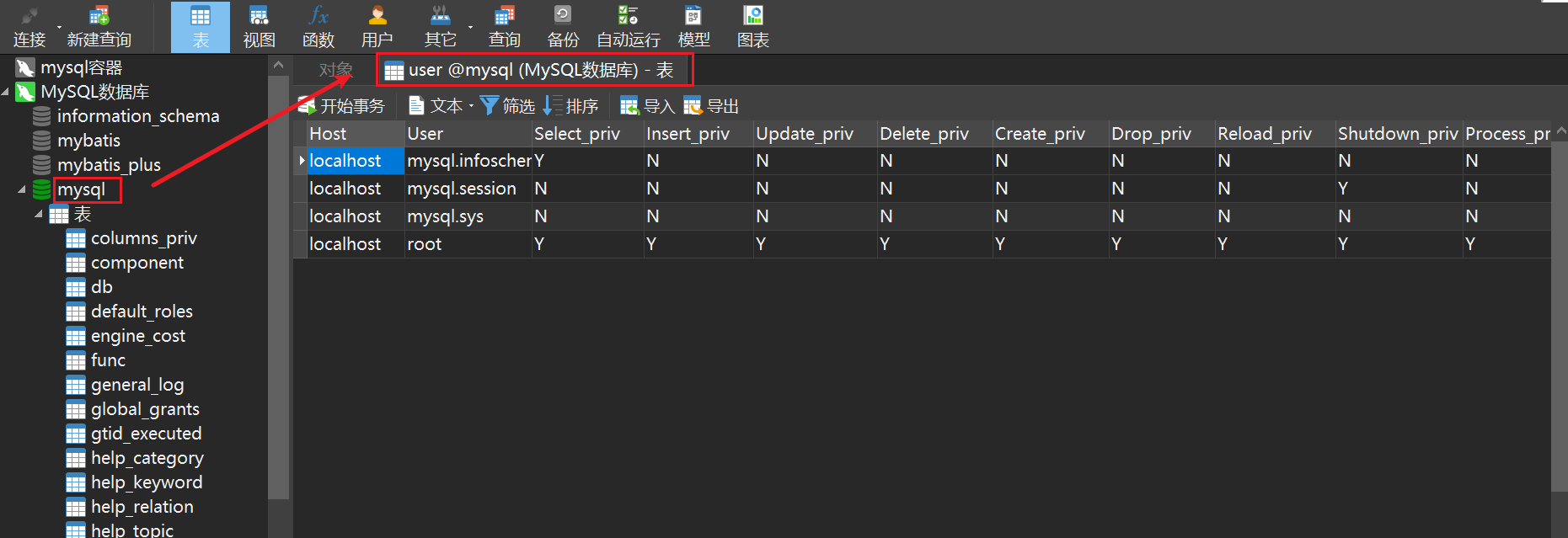
Database backup
Ensure that important data is not lost and data is escapedMethod 1: Directly copy the physical file, and the MySQL data table is stored on the disk as a file-Including table files, data files, and database option files
-
Location:
Mysql安装目录\data\(the directory name corresponds to the database name, and the file name in this directory corresponds to the data table)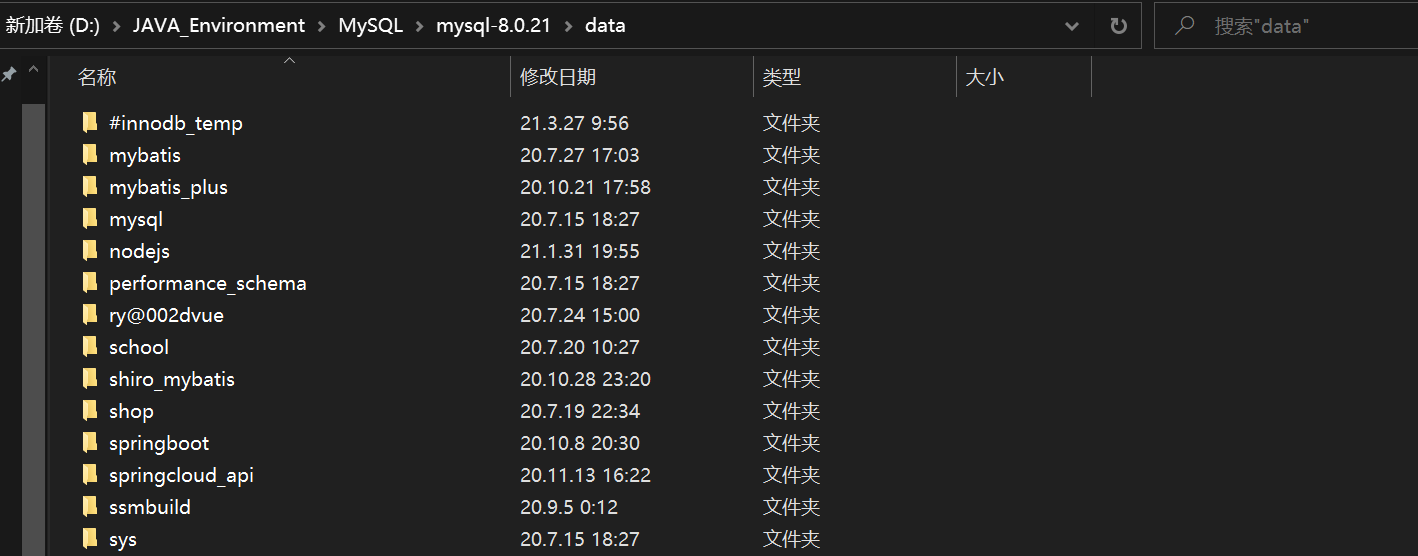
Method 2: Visual managementNavicat opens the database to be backed up, and then click New Backup
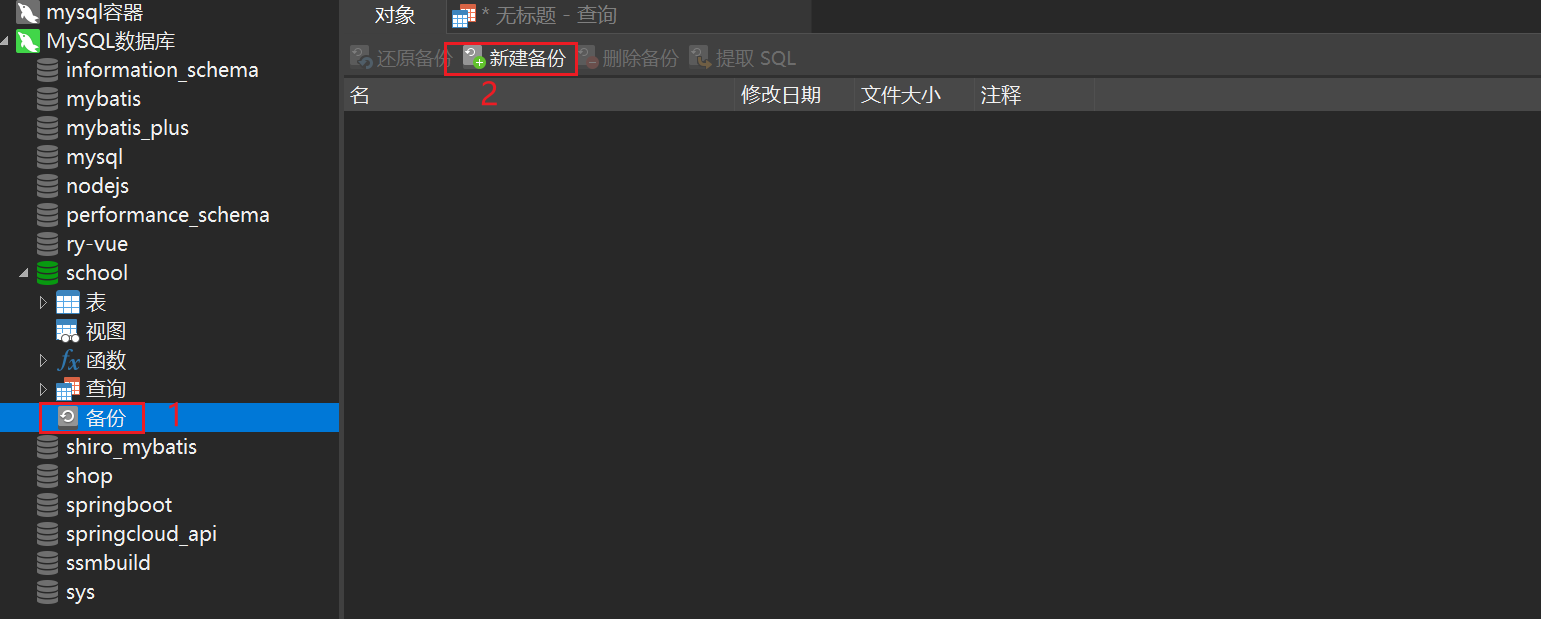 Click Object Selection. Here you can customize the table to be selected for backup.
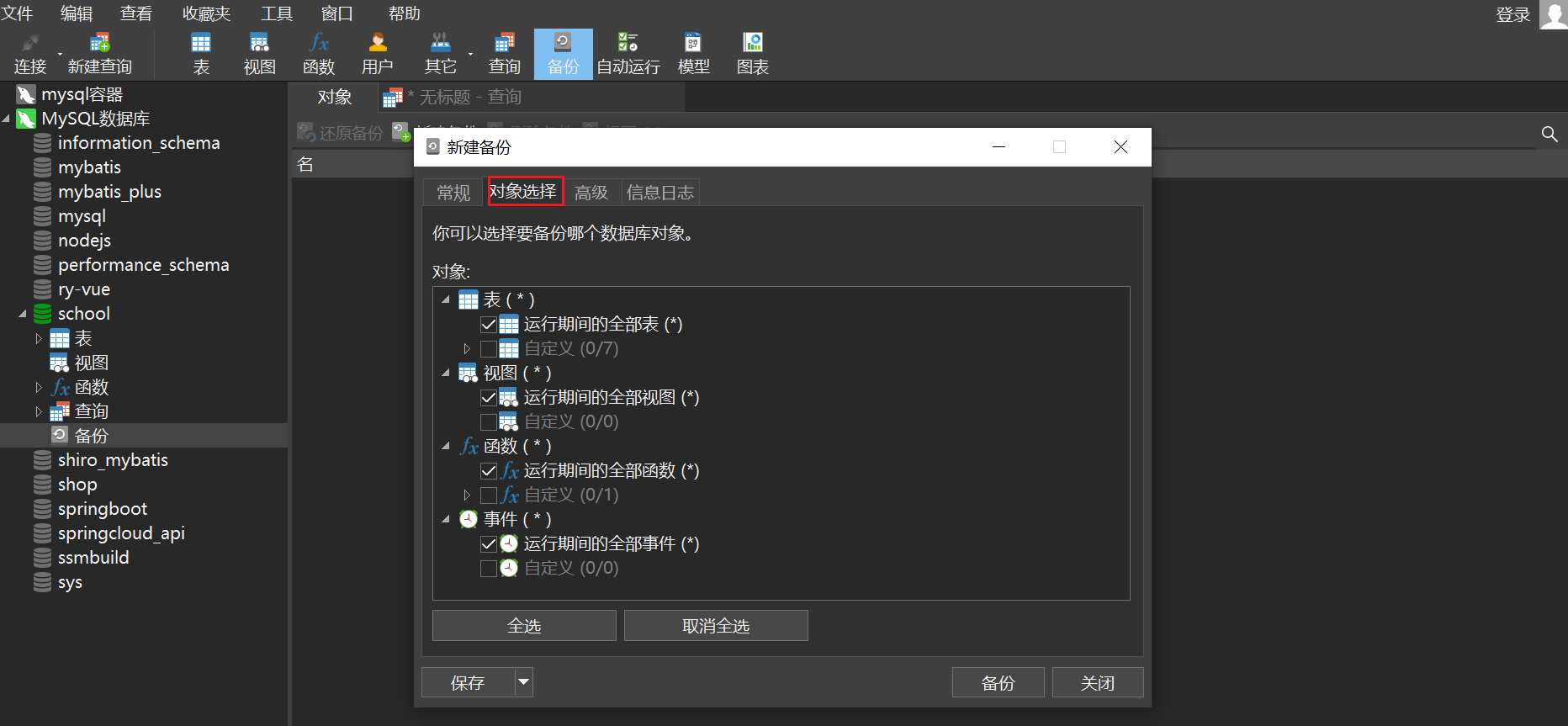 After selecting, click Backup to start the backup
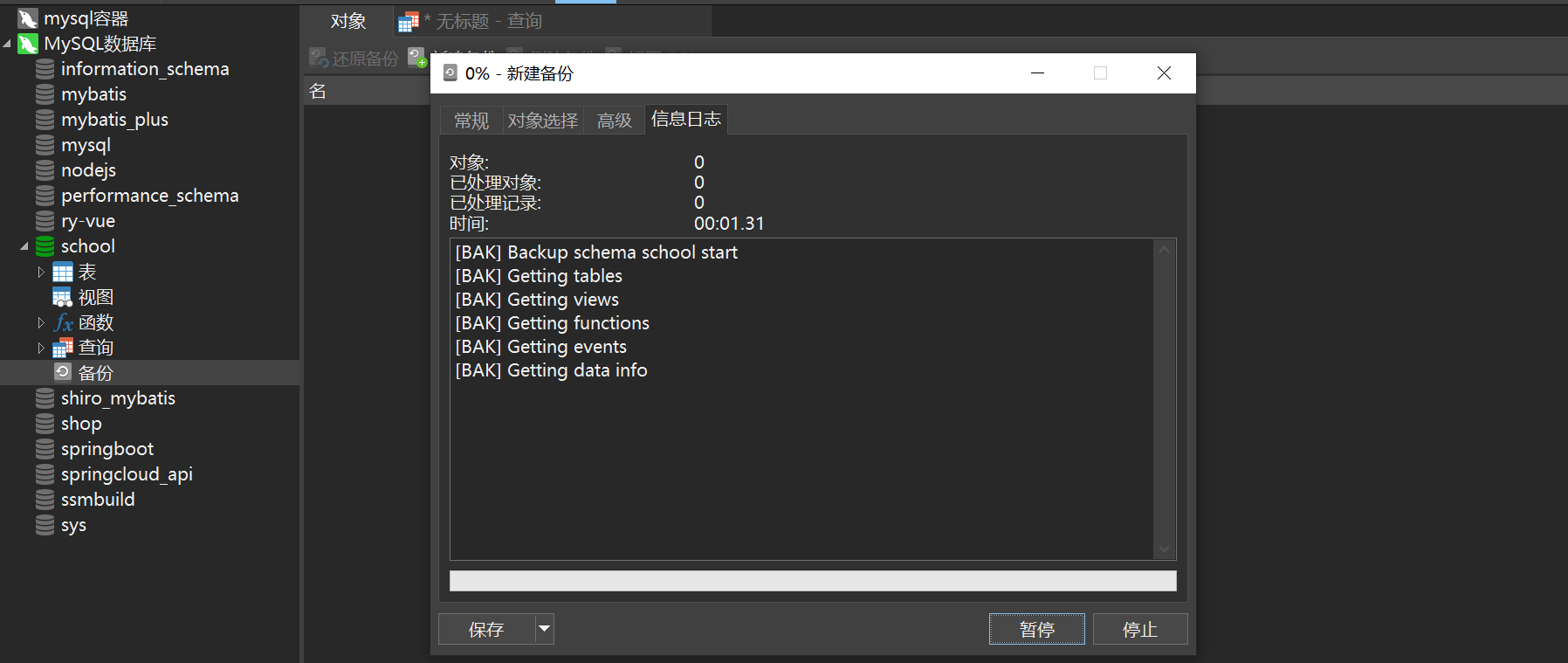
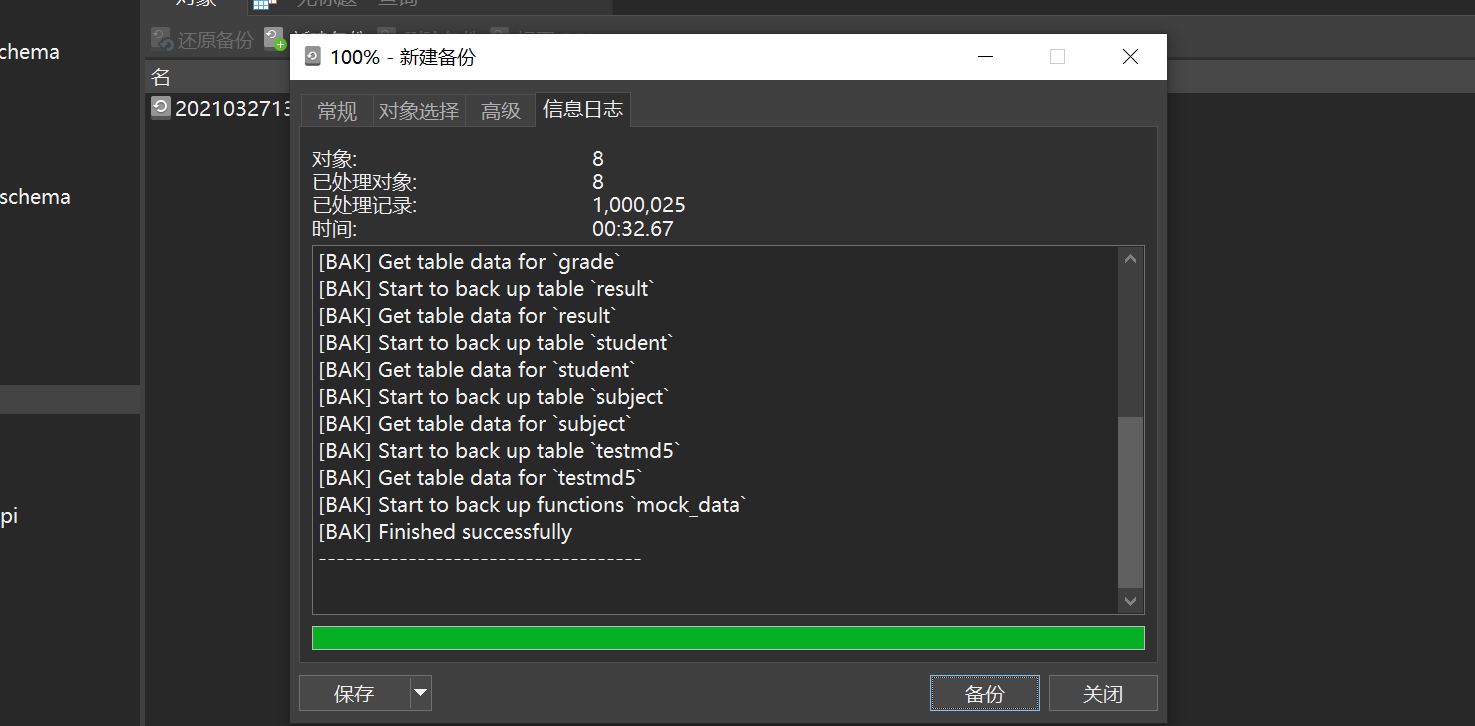 Wait for the backup to complete, close it, and then you can see the backed up files
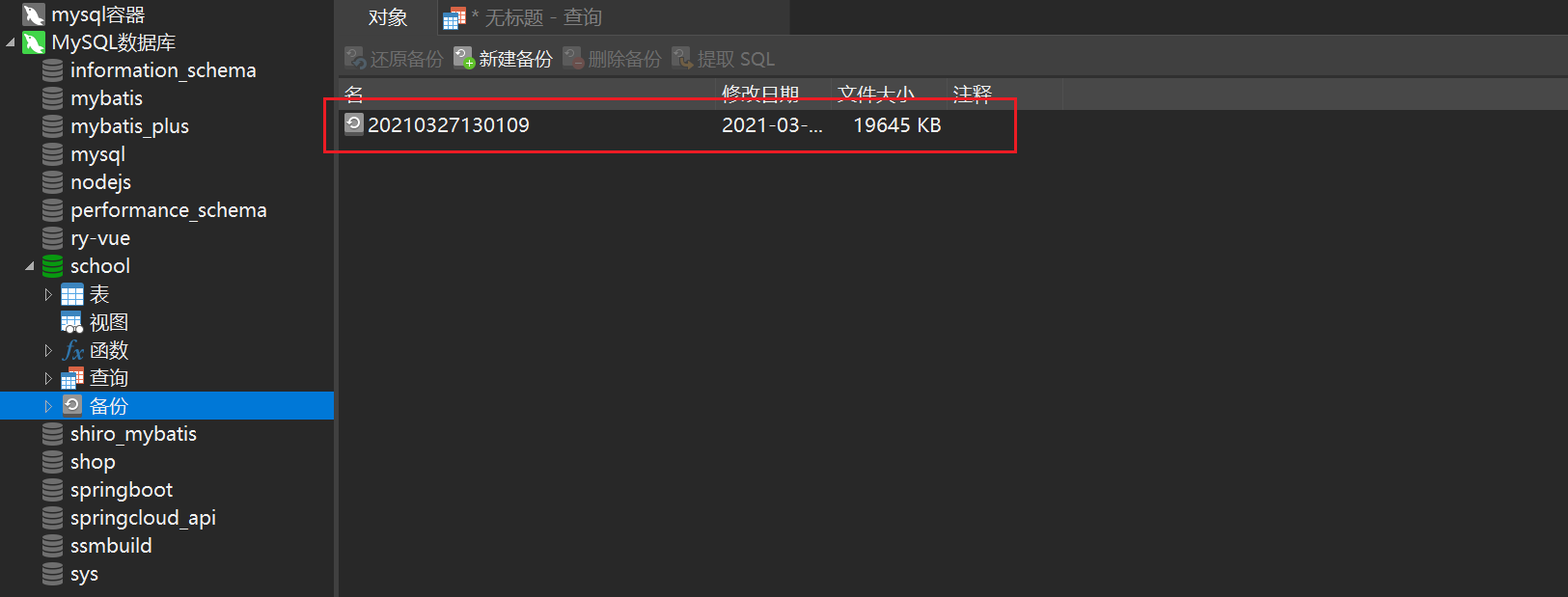
Method Three: Visual ManagementSelect the table to be exported and right-click to dump the SQL file
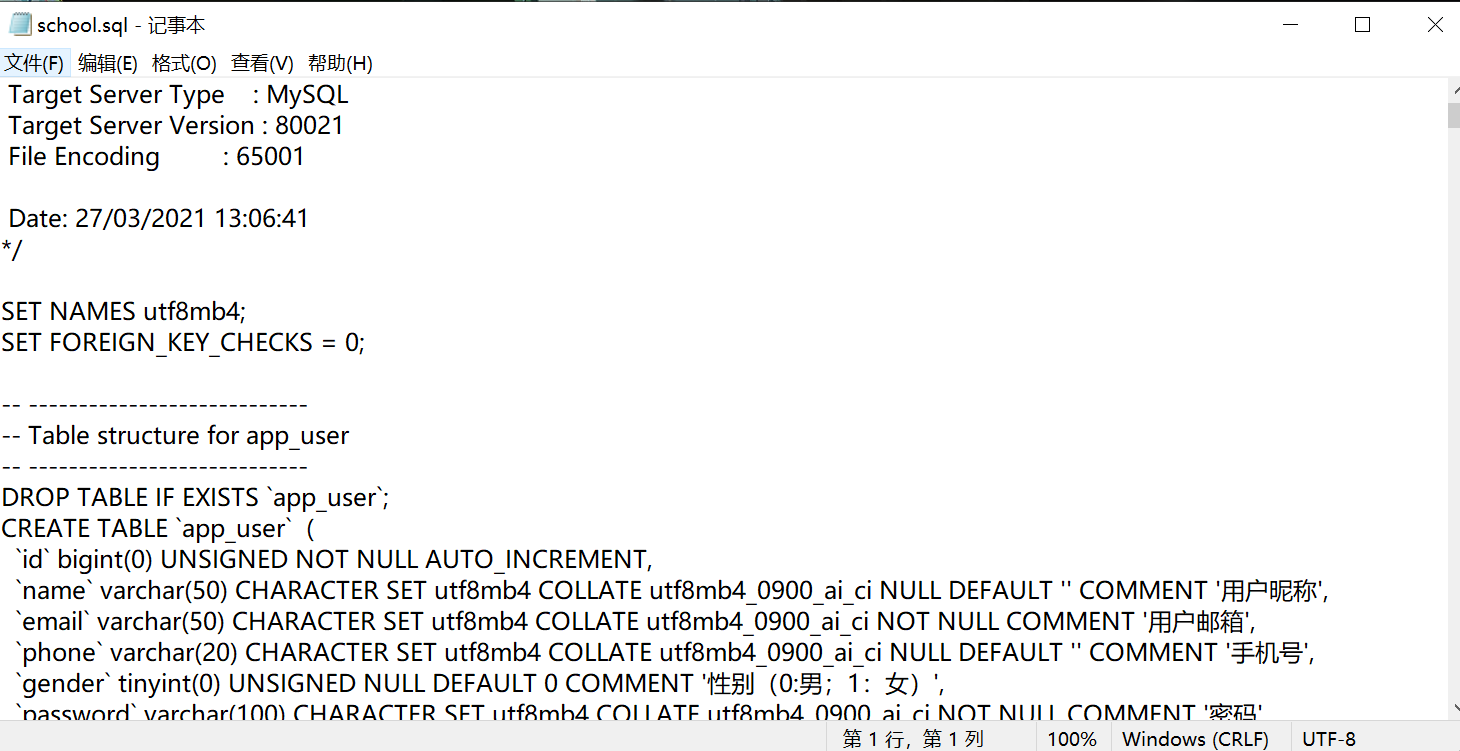
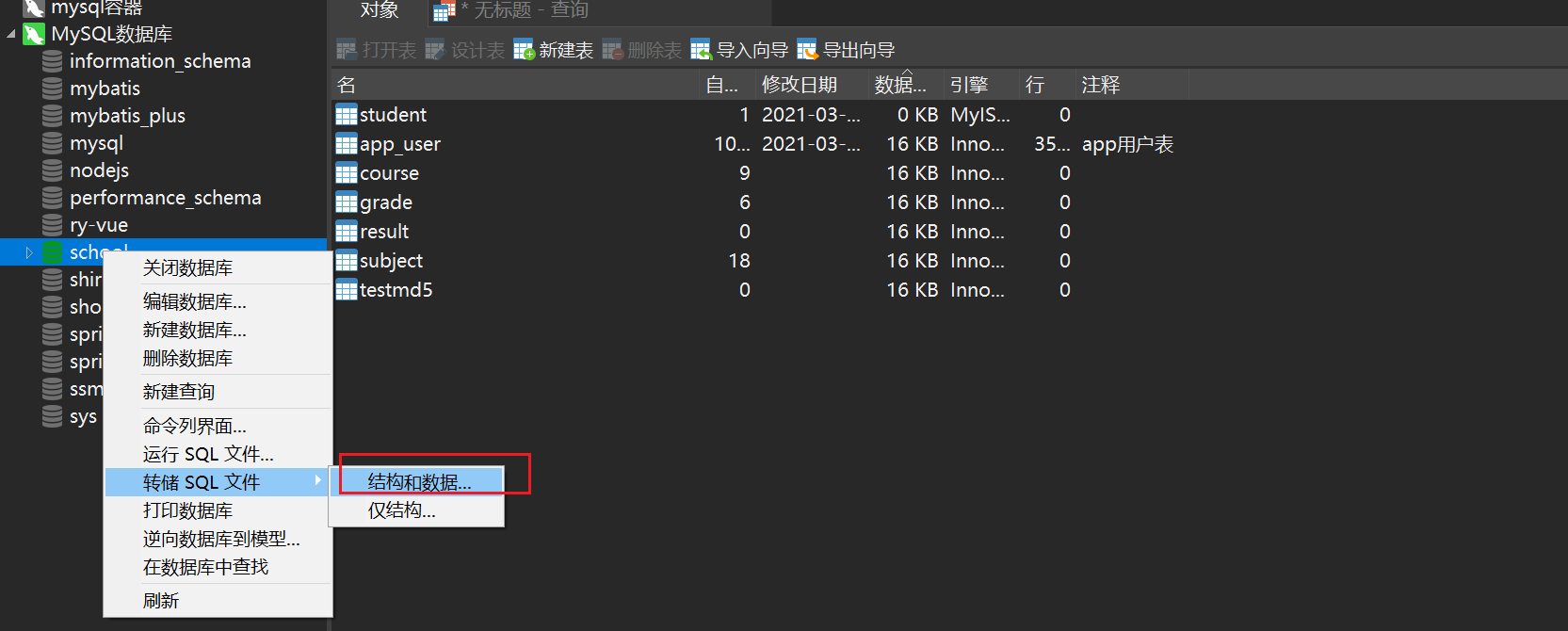 Then you can get the
 .sql file
Method 4: Command mysqldump to export
 Then you can see the exported
 sql file
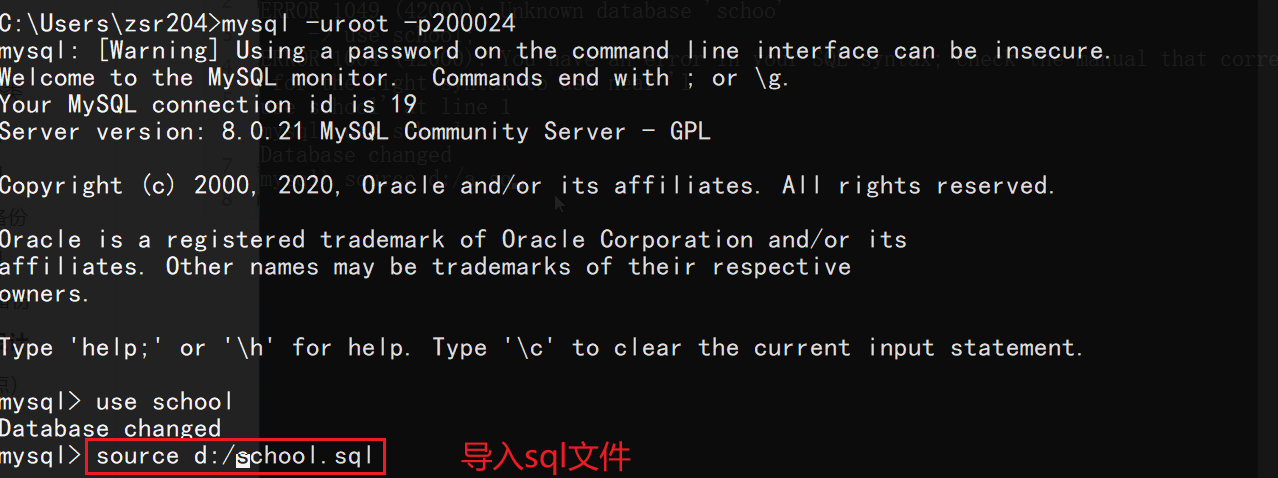
 Then you can log in to mysql from the command line, switch to the specified database, and import using the
 source command
#Three major paradigms
Normalization Theory: Transform the relationship model and eliminate inappropriate data dependencies by decomposing the relationship model to solve the problems of insertion anomalies, deletion anomalies, update anomalies and data redundancy.
In order to establish a database with less redundancy and reasonable structure, certain standardization theories must be followed when designing the database. In relational databases this kind of rule is called 范式
Popular understanding of the three paradigms
- If all attributes of a relational schema R are indivisible data items, then R belongs to
第一范式 - If the relational schema R belongs to the first normal form and each non-primary attribute is completely functionally dependent on the code, then R belongs to
第二范式 - If the relational schema R belongs to the second normal form, and all non-primary attributes in R are directly dependent on the code, then R belongs to
第三范式
 Normative Questions:
The paradigm of the database is to standardize the design of the database, but in practice, issues such as performance, cost, and user experience are often more important than standardization; Therefore, sometimes a redundant field is deliberately added to some tables to turn multi-table queries into single-table queries. Sometimes some calculated columns are added to change the amount of data from large to small (when the amount of data is large, count(*) is very time-consuming, you can directly add a column, +1 for each additional row, just check the column); Alibaba has also proposed that the tables for related queries should not exceed three tables at most. These are examples of giving up certain norms for performance and cost.
Database driver and JDBC
The program we write will interact with the database through database driver
Then different databases have different drivers, which is not convenient for our programs to operate various databases; therefore, in order to simplify the operation of different databases, SUN provides a Java specification for operating databasesJDBC; the specifications of different databases are completed by the corresponding database manufacturers. For developers, they only need to master the operation of the JDBC interface.
The first JDBC program
1️⃣ Create a new empty project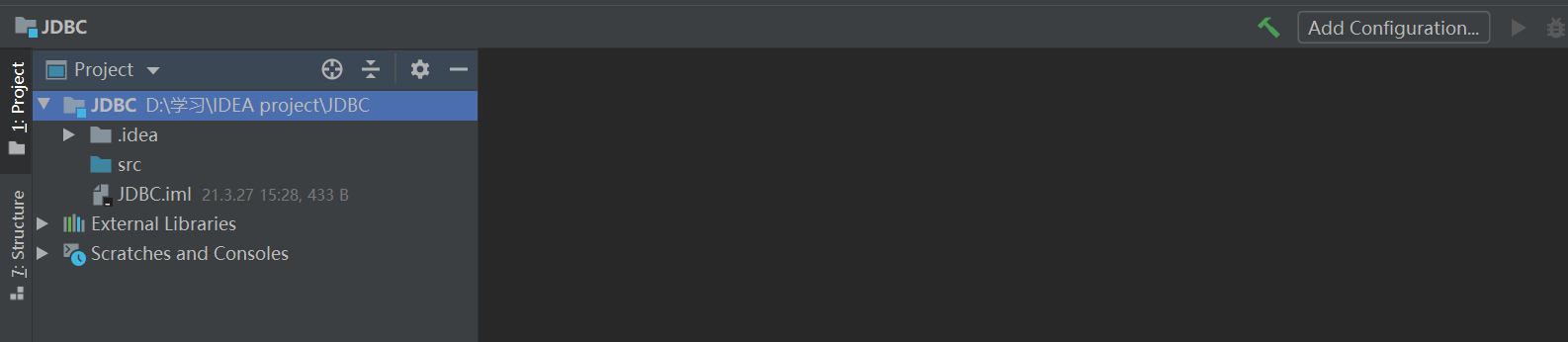 2️⃣ Import mysql-connector-java
Create a new
2️⃣ Import mysql-connector-java
Create a new lib directory under the project directory and put it in the jar package

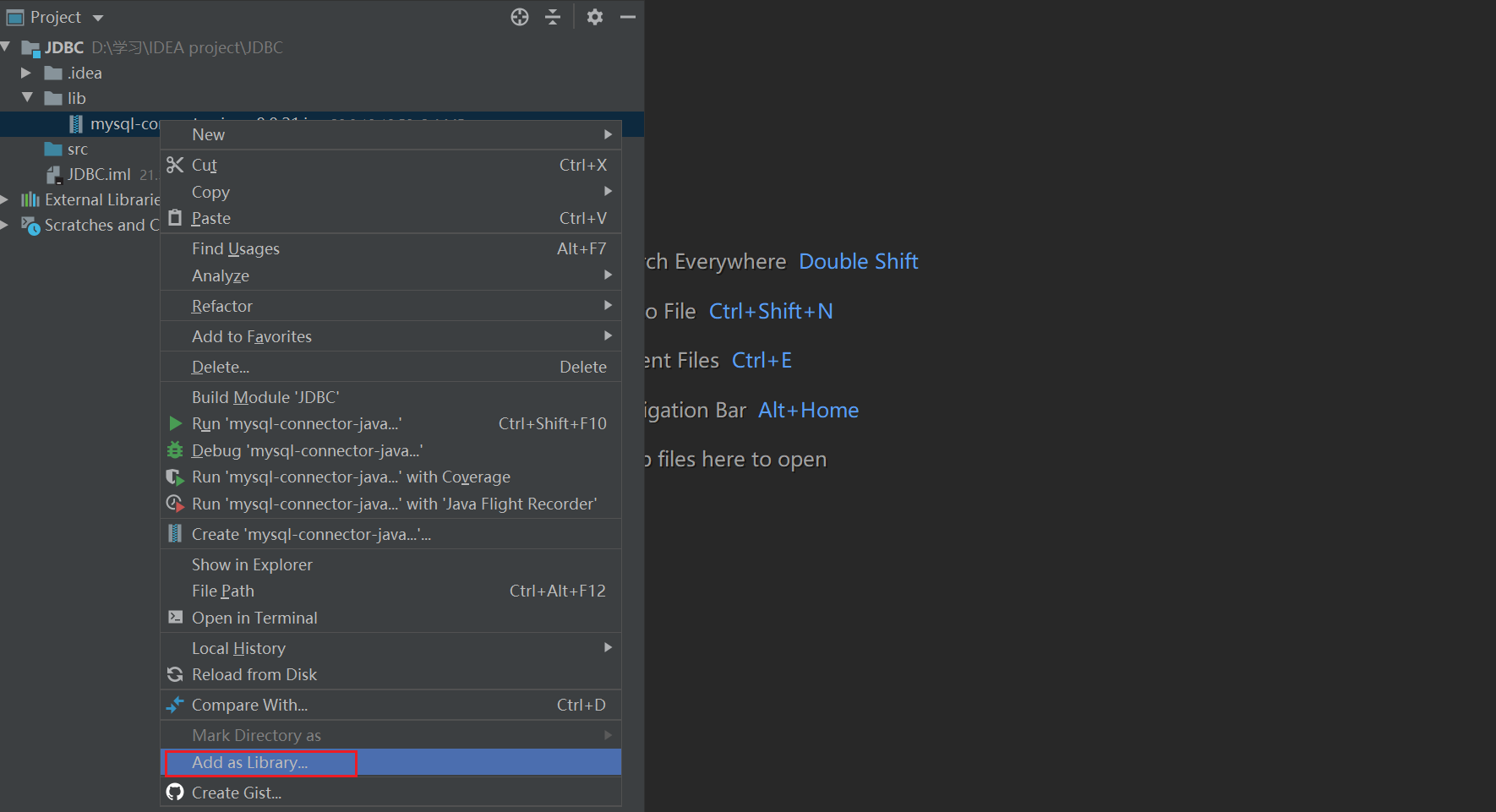
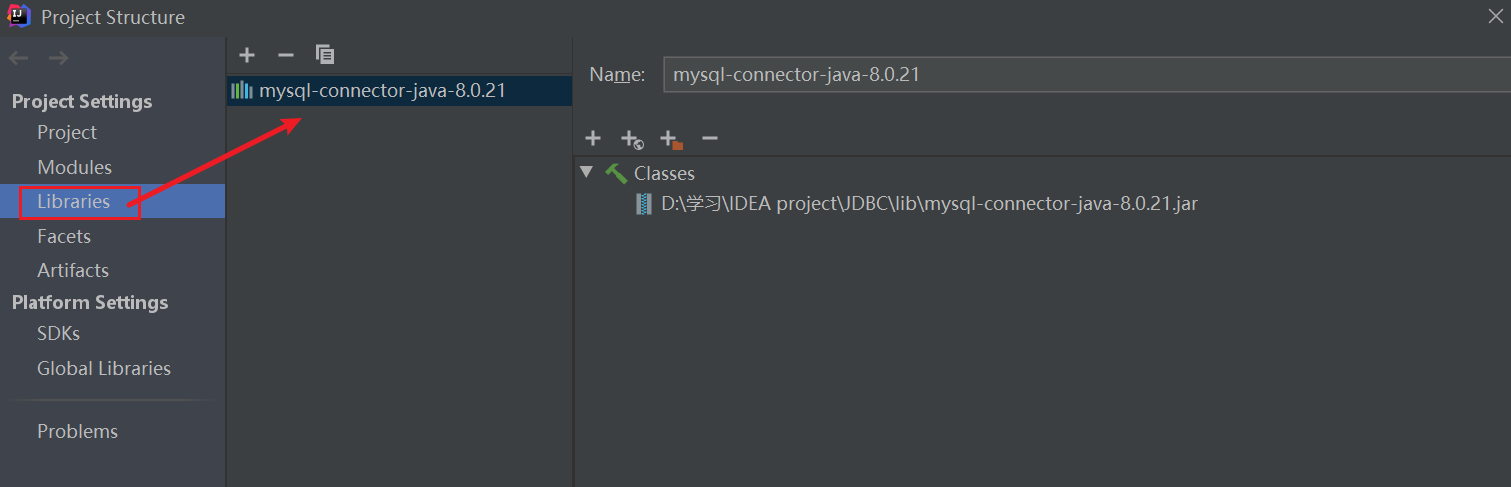 3️⃣ Write code & test
Create a new
3️⃣ Write code & test
Create a new JDBCDemo in the src directory to operate the database
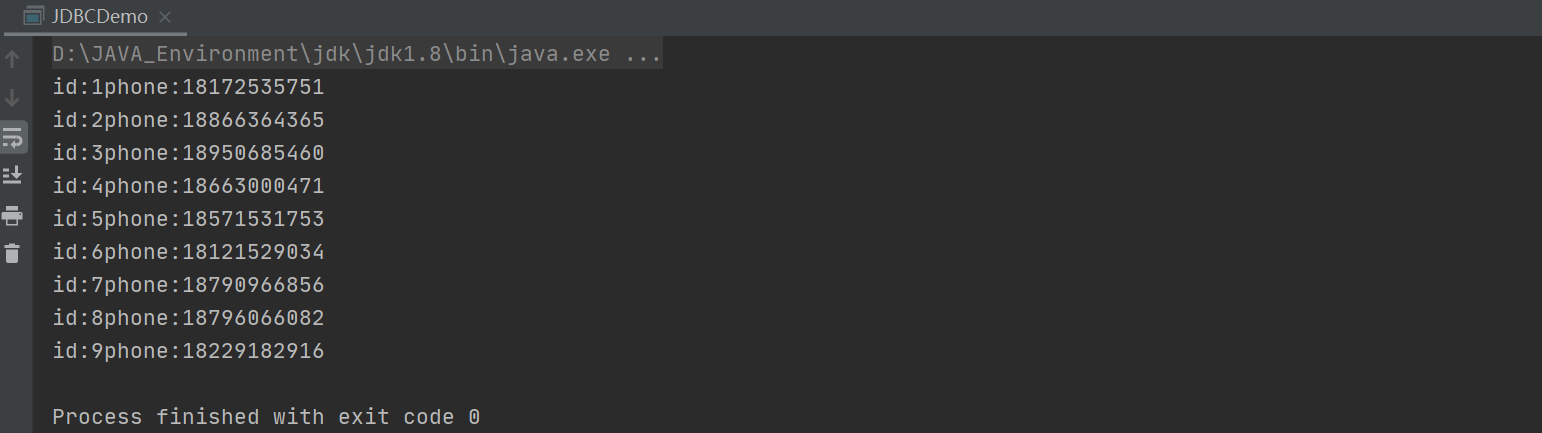
JDBC Object
DriverManager
DriverManager: driver management
DriverManager.registerDriver(new com.mysql.cj.jdbc.Driver());
connection represents the database, so you can set up automatic transaction submission, transaction rollback, etc.
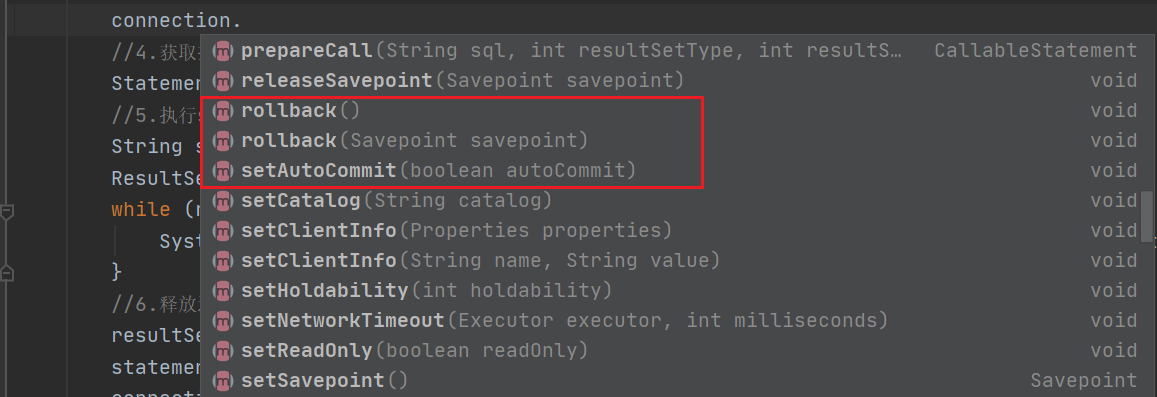
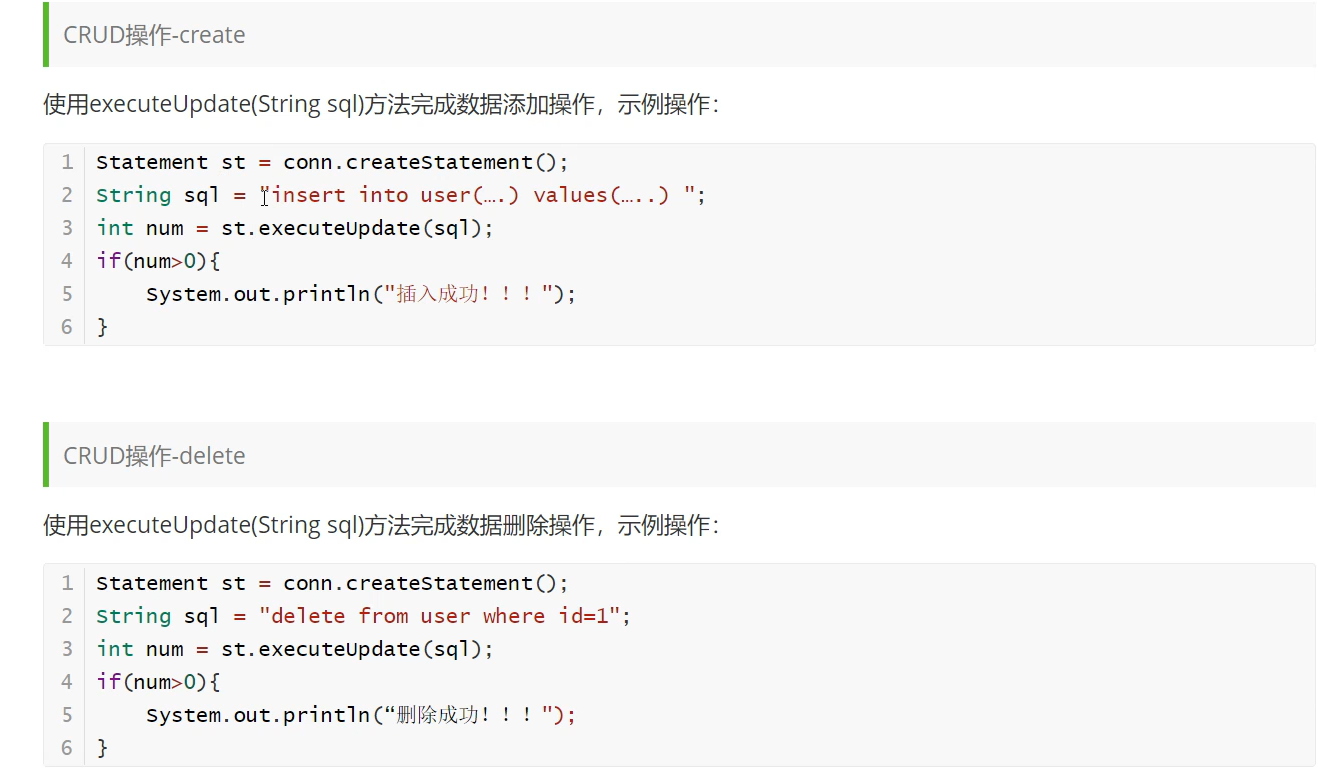
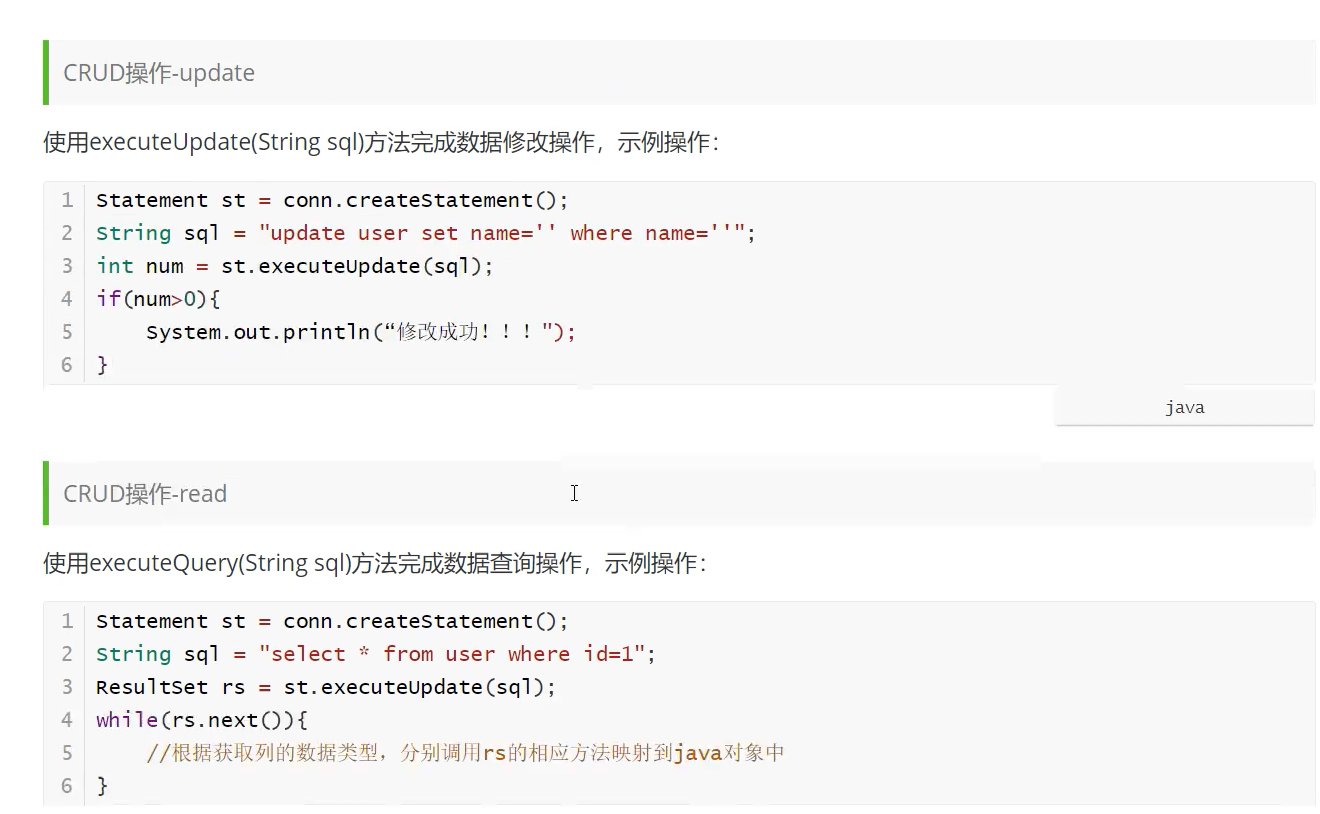
Statement
Statement: The object that executes sql, used to send SQL statements to the database. If you want to complete the addition, deletion, modification and query of the database, you only need to send the addition, deletion, modification and query statement to the database through this object.
ResultSet
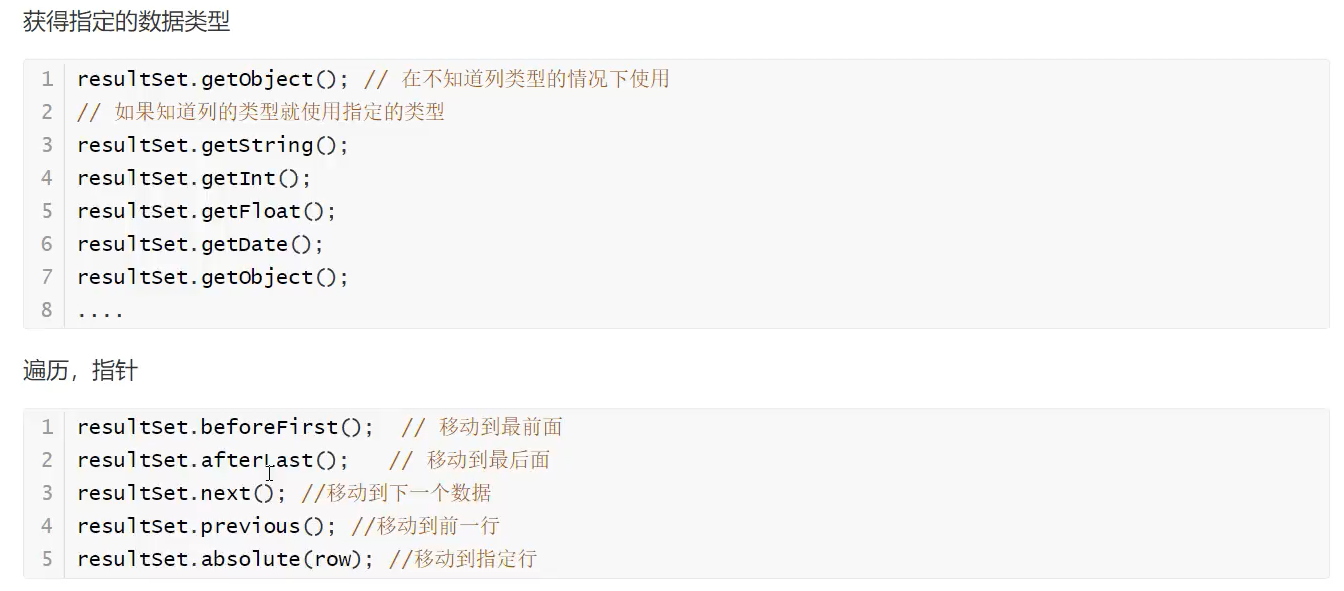
ResultSet: The result set of the query, which encapsulates the results of all queries
3. Encapsulate jdbc tool class
Write database configuration file
Create a newdb.properties in the src directory to store database configuration information

Writing tool classes
Then createJDBCUtils.java in the src directory as a tool class
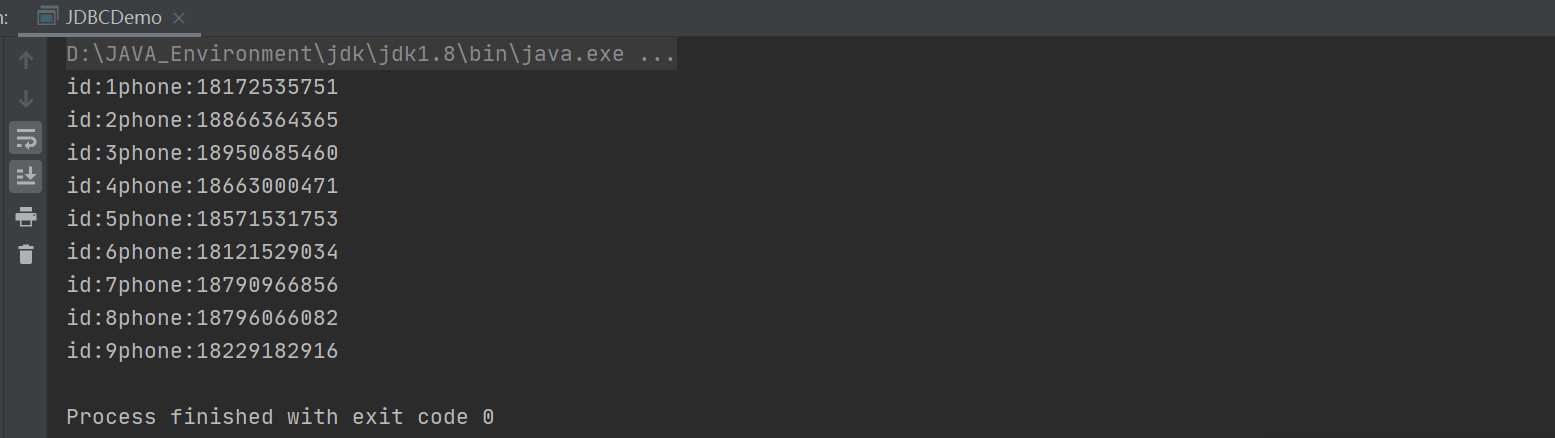
test
ModifyJDBCDemo
SQL injection problem
SQL injection happens when a web application does not properly validate or filter user input. An attacker can append extra SQL statements to a predefined query, tricking the database server into executing unauthorized queries and exposing data.SQL injection case: Pass in the user name in the main function and search for user information with the specified name
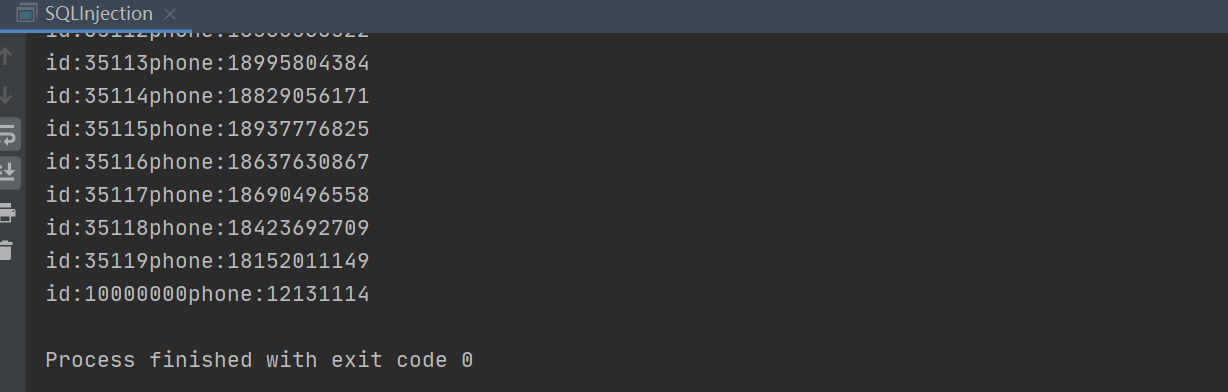 Here, an illegal string is passed in instead of a user name, but all the data is obtained. Why?
Splicing the entire sql statement is
Here, an illegal string is passed in instead of a user name, but all the data is obtained. Why?
Splicing the entire sql statement is select * from app_user where name=' ' or '1==1', of which 1==1 is always true, so the sql statement is equivalent to all the data in the query table; this is sql injection, mainly a problem caused by string splicing, which is very dangerous! !
PreparedStatement object
Also test the sql injection casePreparedStatementis a subclass ofStatement. Compared with it, it can prevent SQL injection and is more efficient.
 According to the results, the PreparedStatement object perfectly avoids sql injection problems
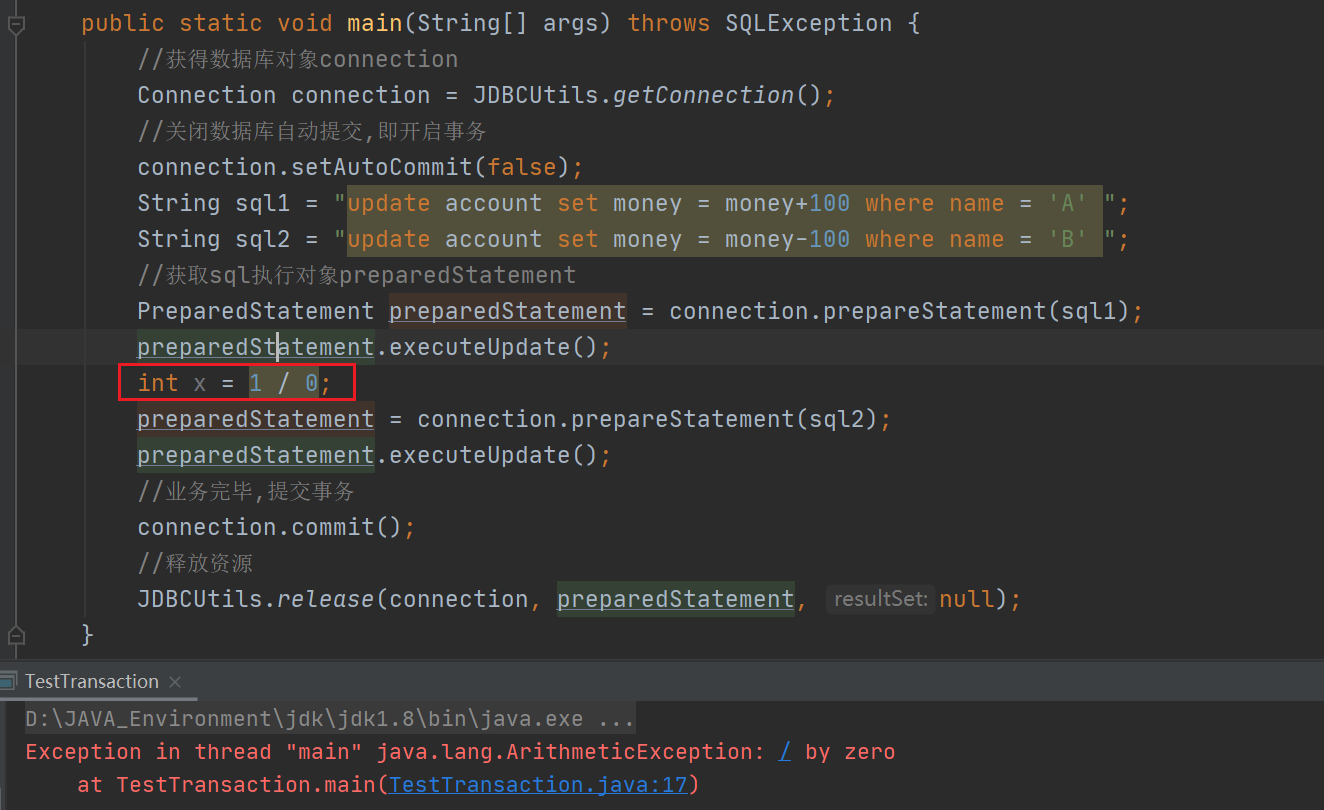
Transaction case
First create the account table Then write Java code
 If you add
 int x = 1 / 0 between two updates;
An error will be reported, the transaction execution will fail, and neither statement will be executed successfully.